

1
Trusted Friends
- Your selected Trusted Friends are alerted.
- They are the people you already know and trust.
- VEZL gives them the information they need to respond.
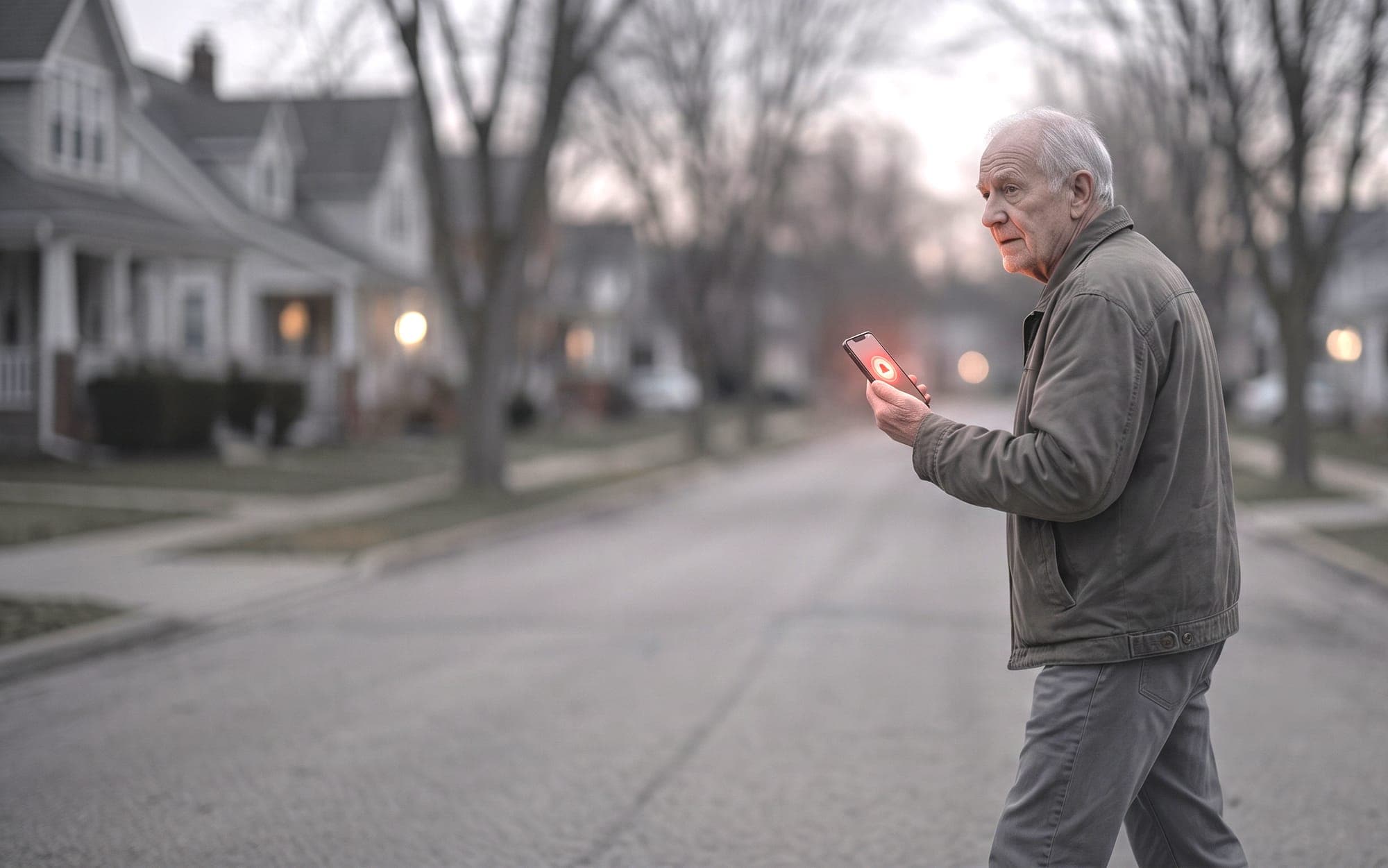
VEZL keeps you and the people who matter to you connected in everyday moments and protected in the moments that matter most.
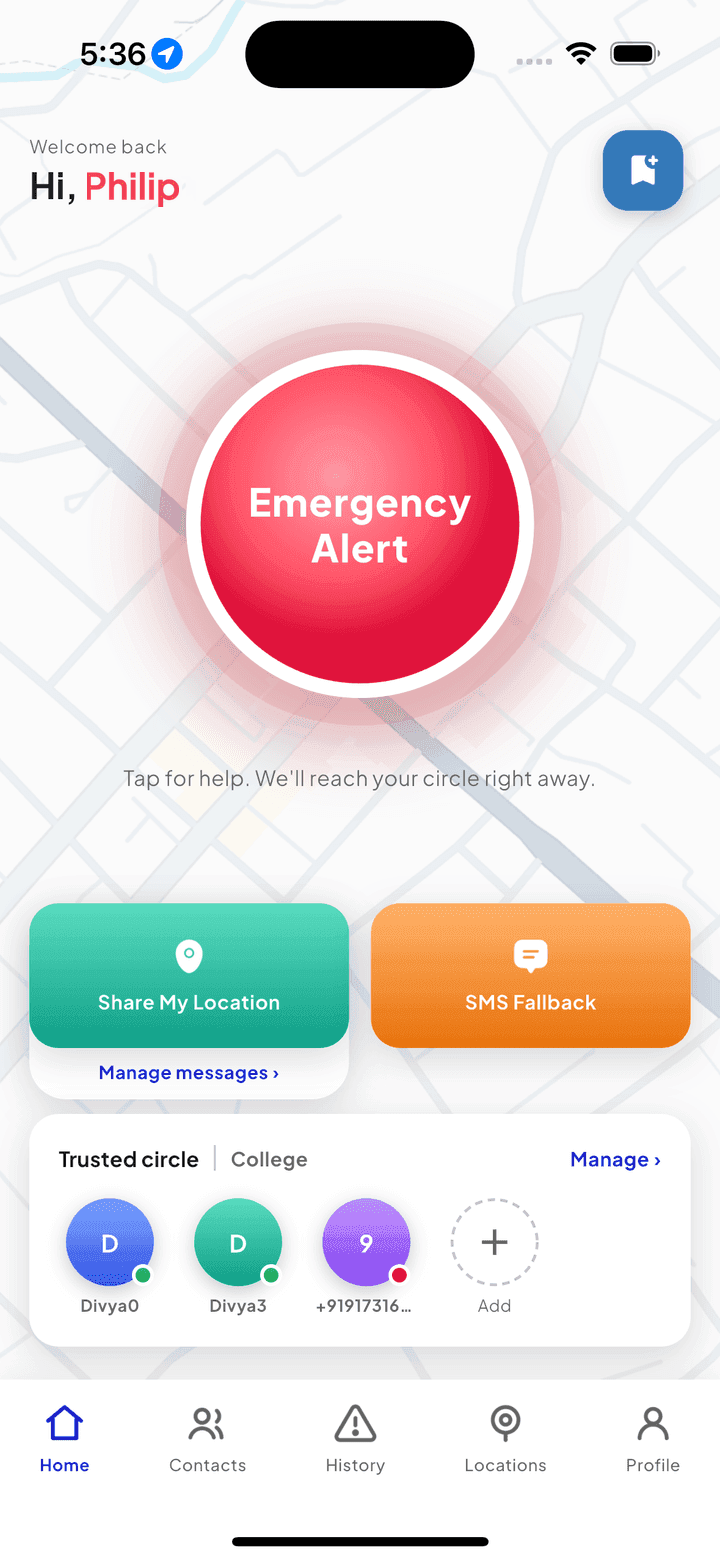
Simple steps for everyday reassurance and emergency protection.
Share your location, check in, or send an emergency alert.
Trusted Friends and nearby Helpers are instantly notified.
They see where you are and can help if needed.
You choose what to share and with whom. Your privacy is our priority.
VEZL reaches the people you trust and, for subscribed users, looks for up to 10 nearby Helpers.
100m200m300m400m500m
Nearby Helpers are VEZL community members, not professional emergency responders. VEZL complements emergency services rather than replacing them.
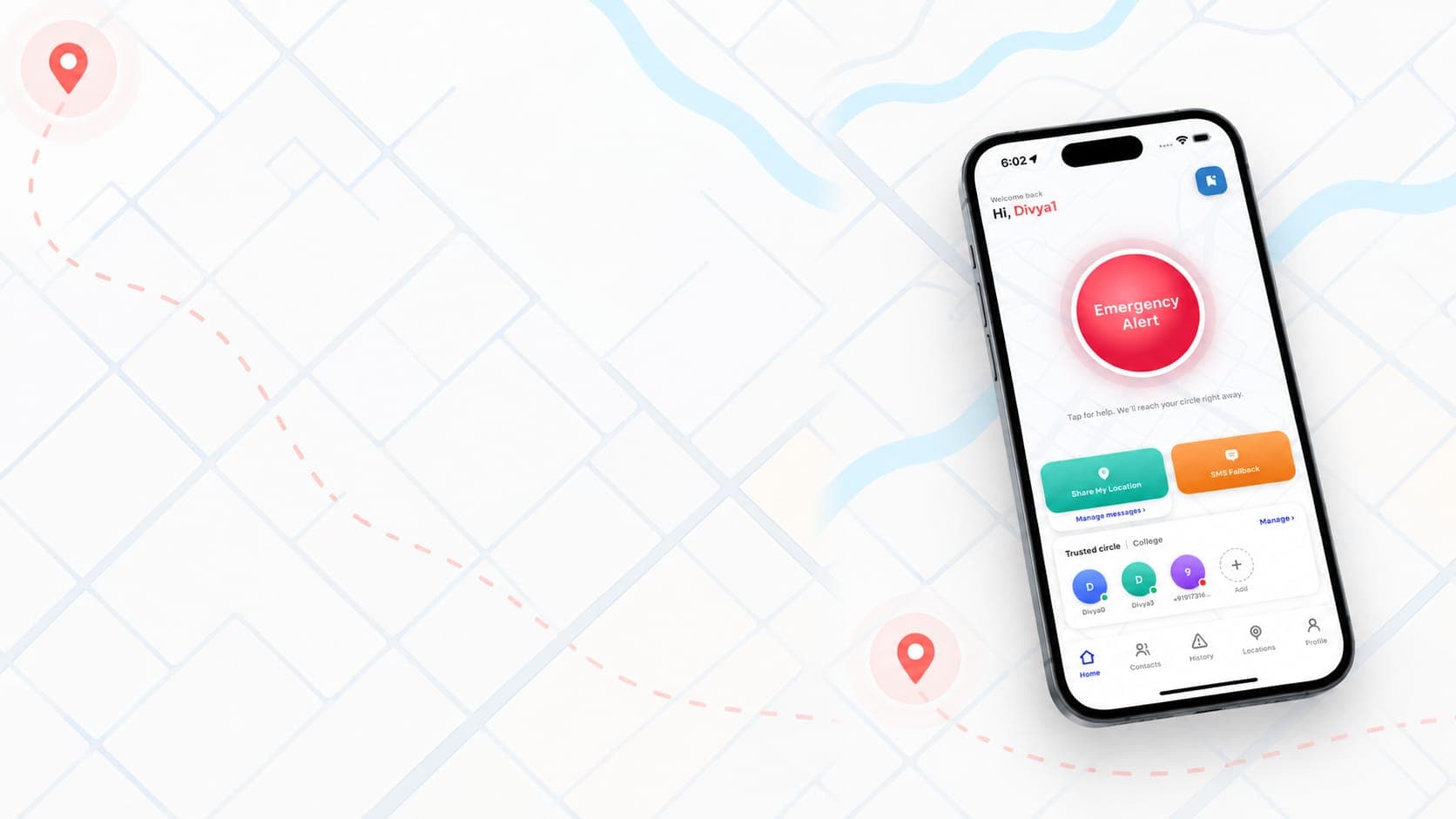
Start with how you set an alert off, then see the app itself: the emergency path, the people you choose to reach, and the everyday tools that sit alongside them.
Trigger an emergency alert however works best for you, even hands-free.
Tap the Emergency Alert button on the home screen to instantly trigger help.
Enable the accessibility shortcut to trigger an alert by pressing the volume button three times, or trigger it hands-free with Google Assistant.
Set up a Shortcut to trigger an alert with a Back Tap, or trigger it hands-free using Siri voice commands.
One tap triggers real help, instantly and in real time.
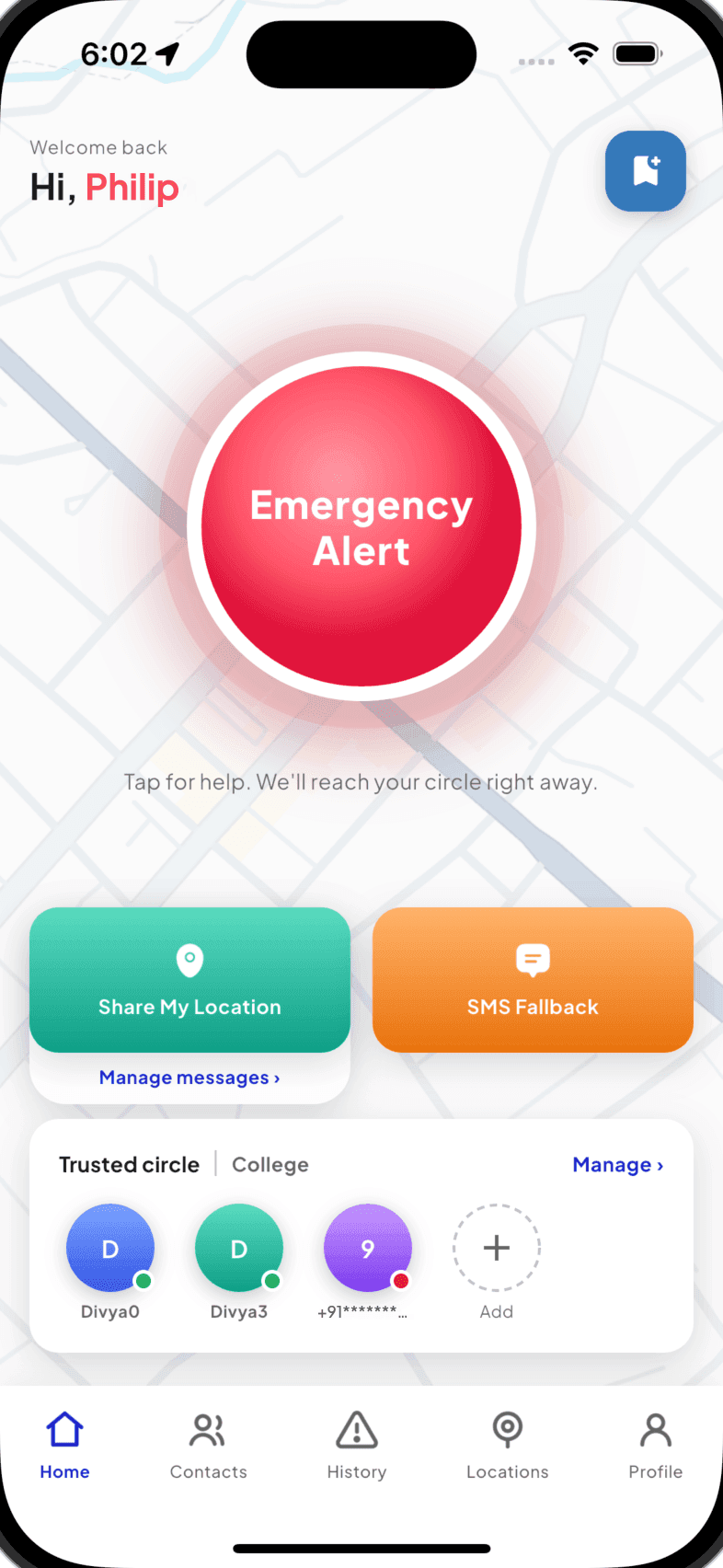
One-tap Emergency Alert instantly notifies your trusted circle and dispatches help in real time.
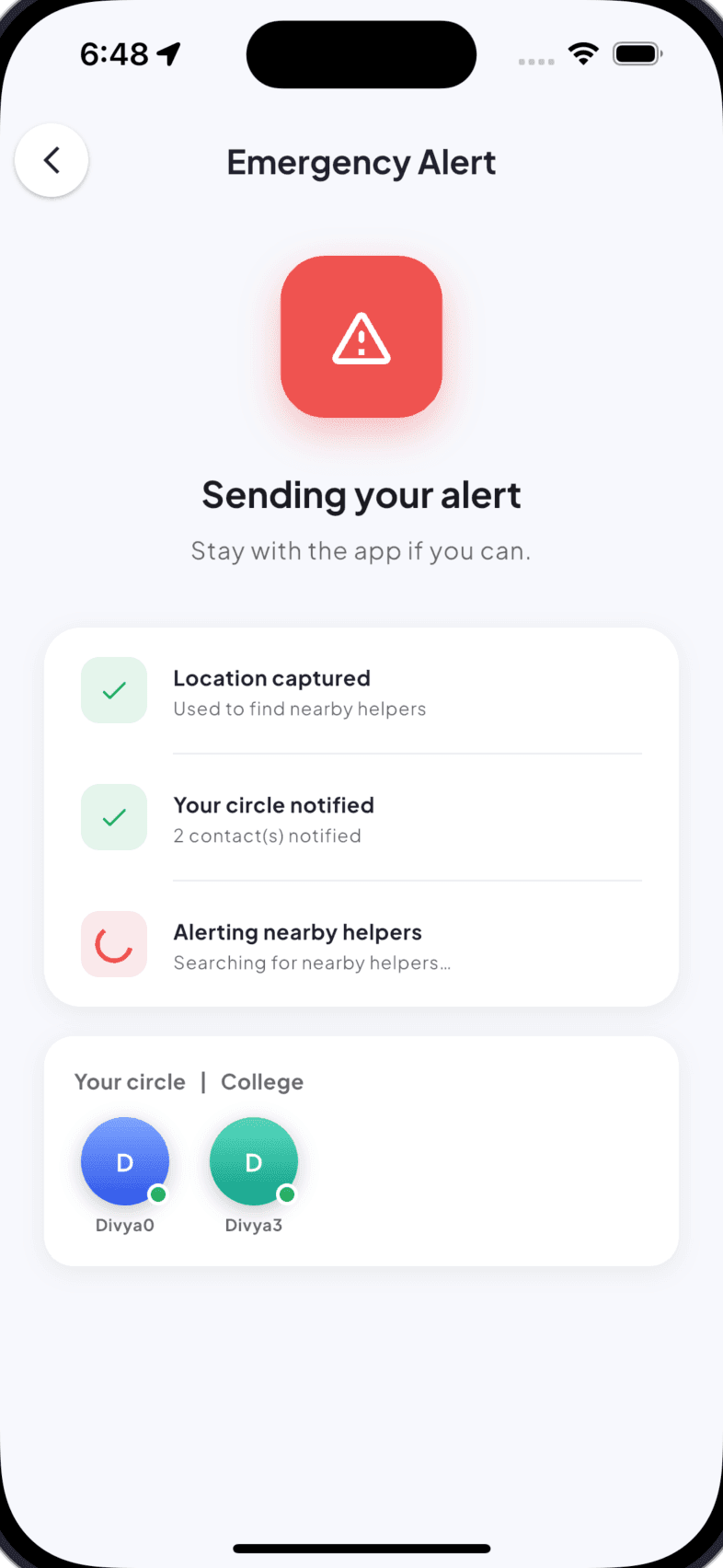
Once triggered, watch your alert go out step by step: location captured, your circle notified, and nearby helpers alerted.
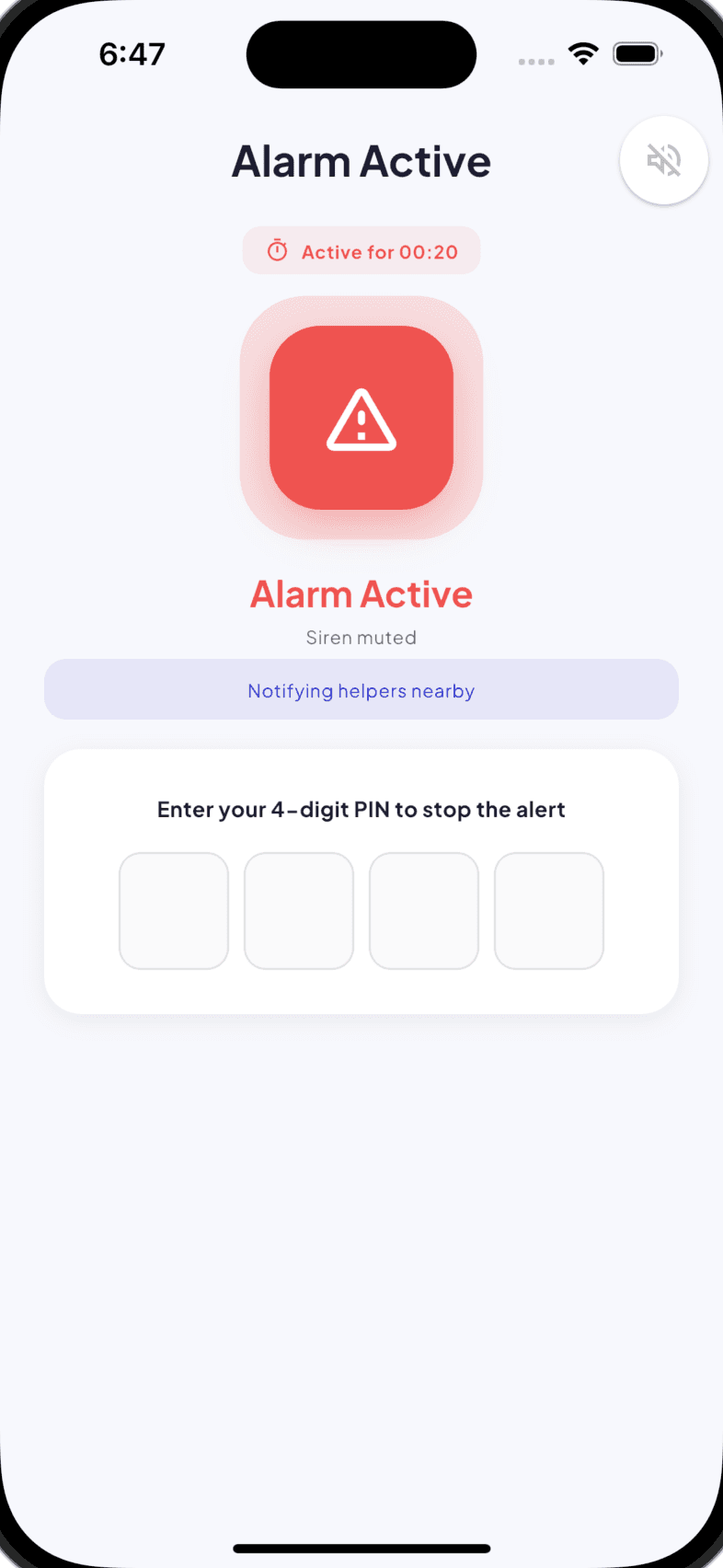
An active alarm sounds a siren and can only be stopped with your PIN, so a real emergency can never be silently dismissed.
Organize your people, and keep a record of every alert.
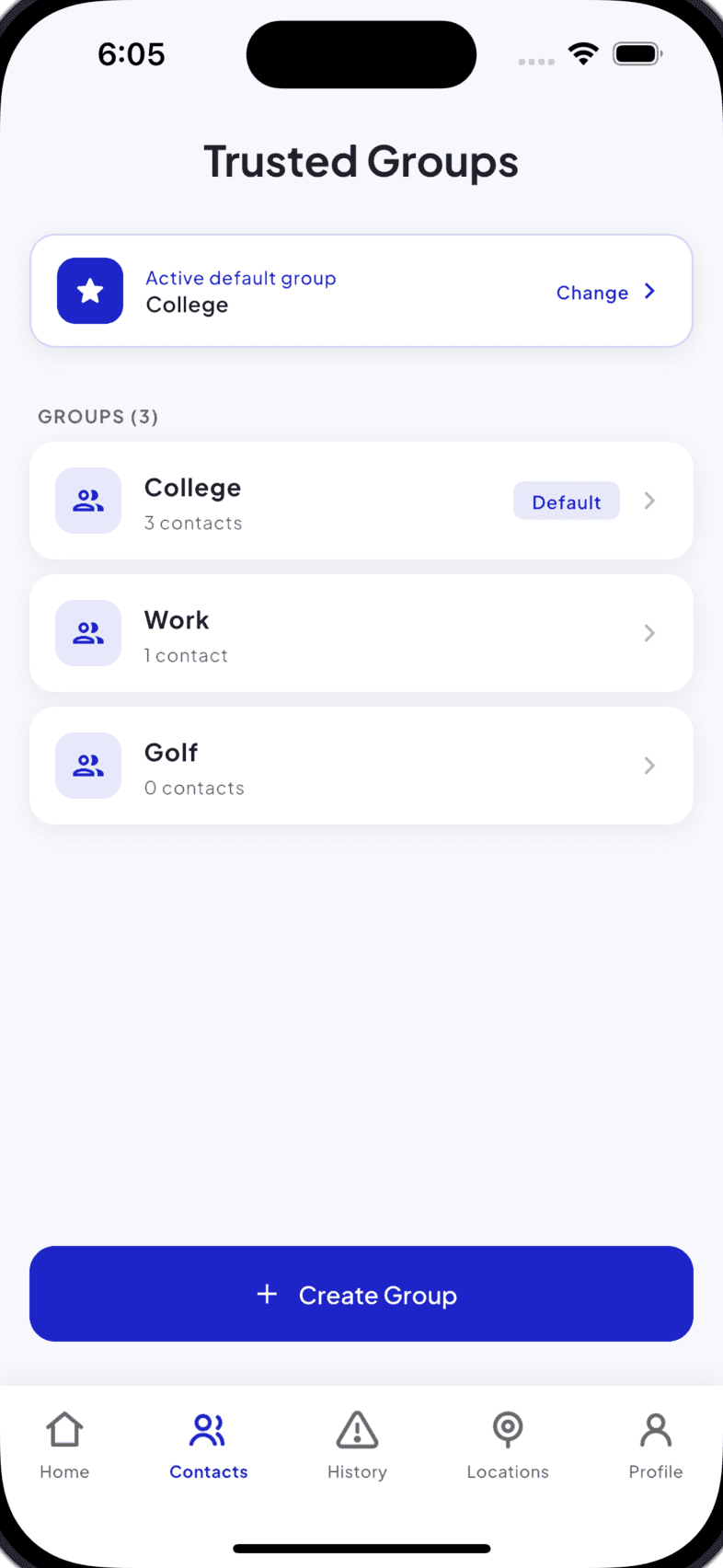
Create multiple trusted groups for different parts of your life, and instantly control who gets notified.
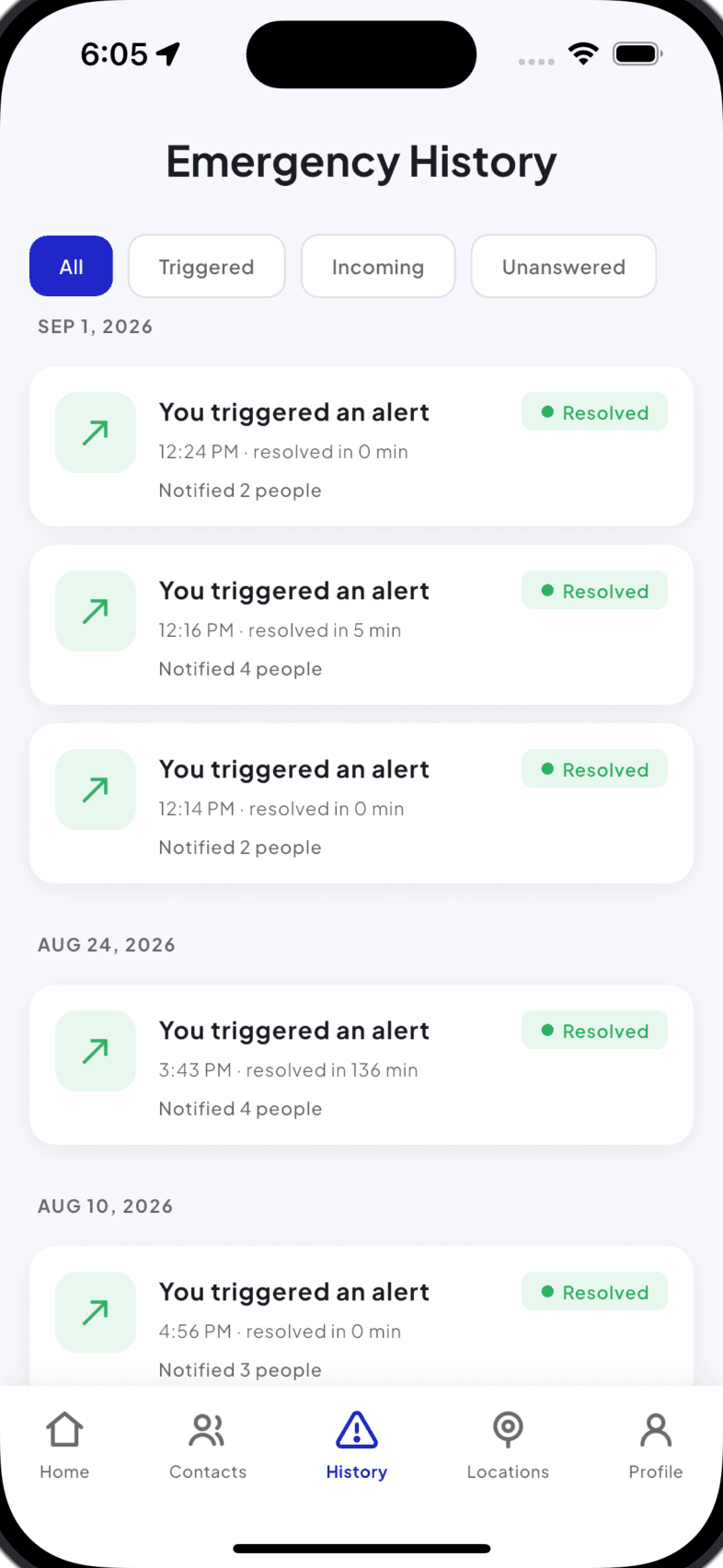
A full timeline of past alerts, whether triggered, received or unanswered, with response times and who was notified.
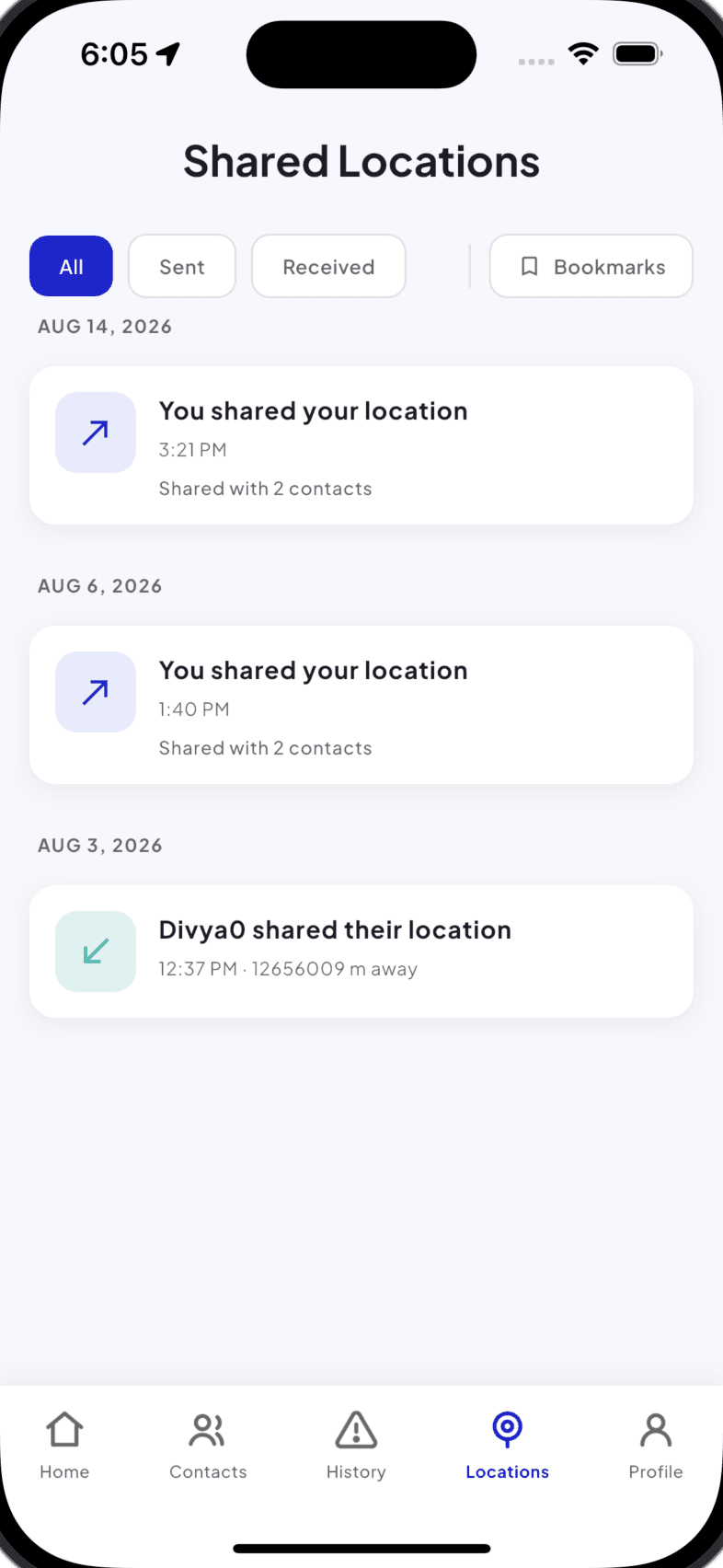
Track every location you've shared and every location shared with you, all organized by date.
VEZL puts you in control of your privacy, and of when you're available.
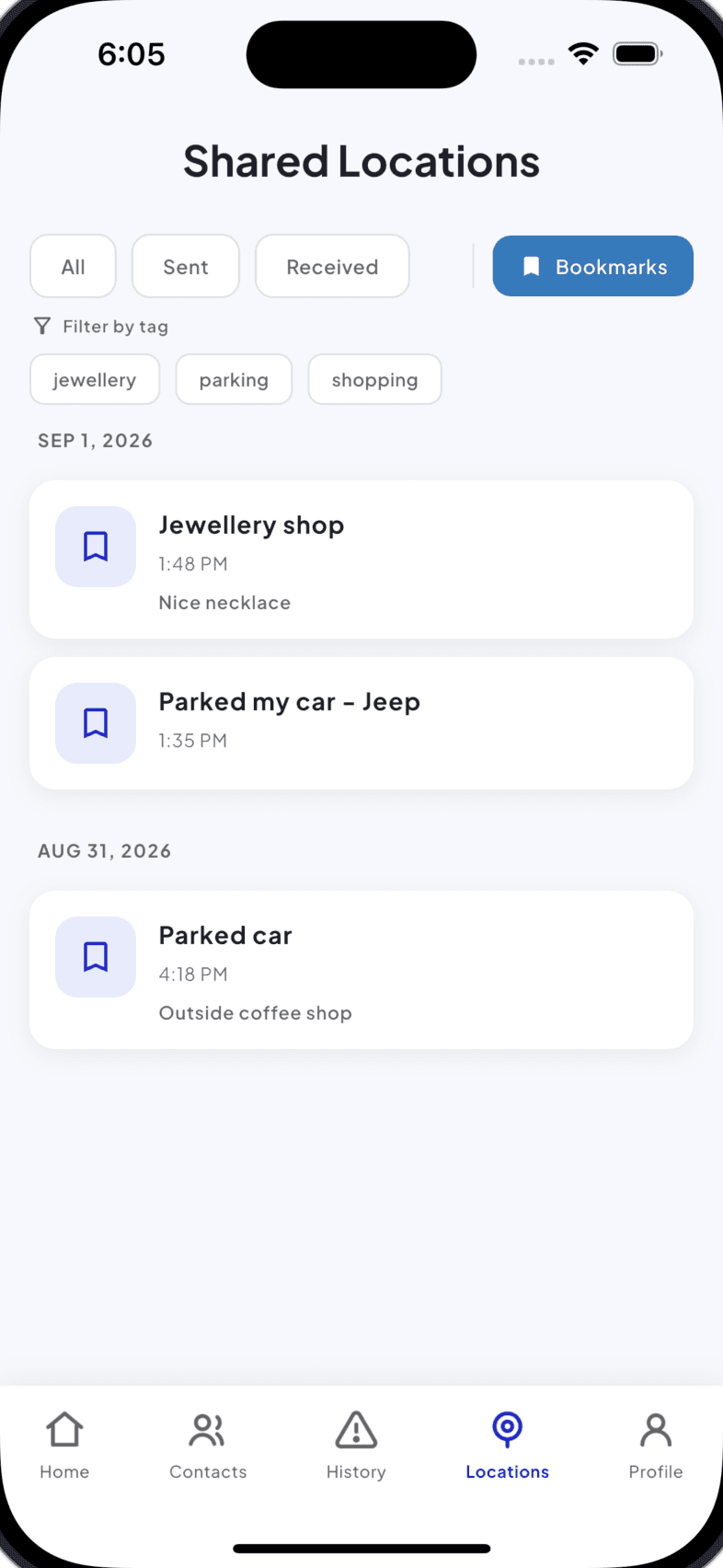
A personal location journal. Save and tag any place (parking spot, favorite store, meeting point) with notes for later.
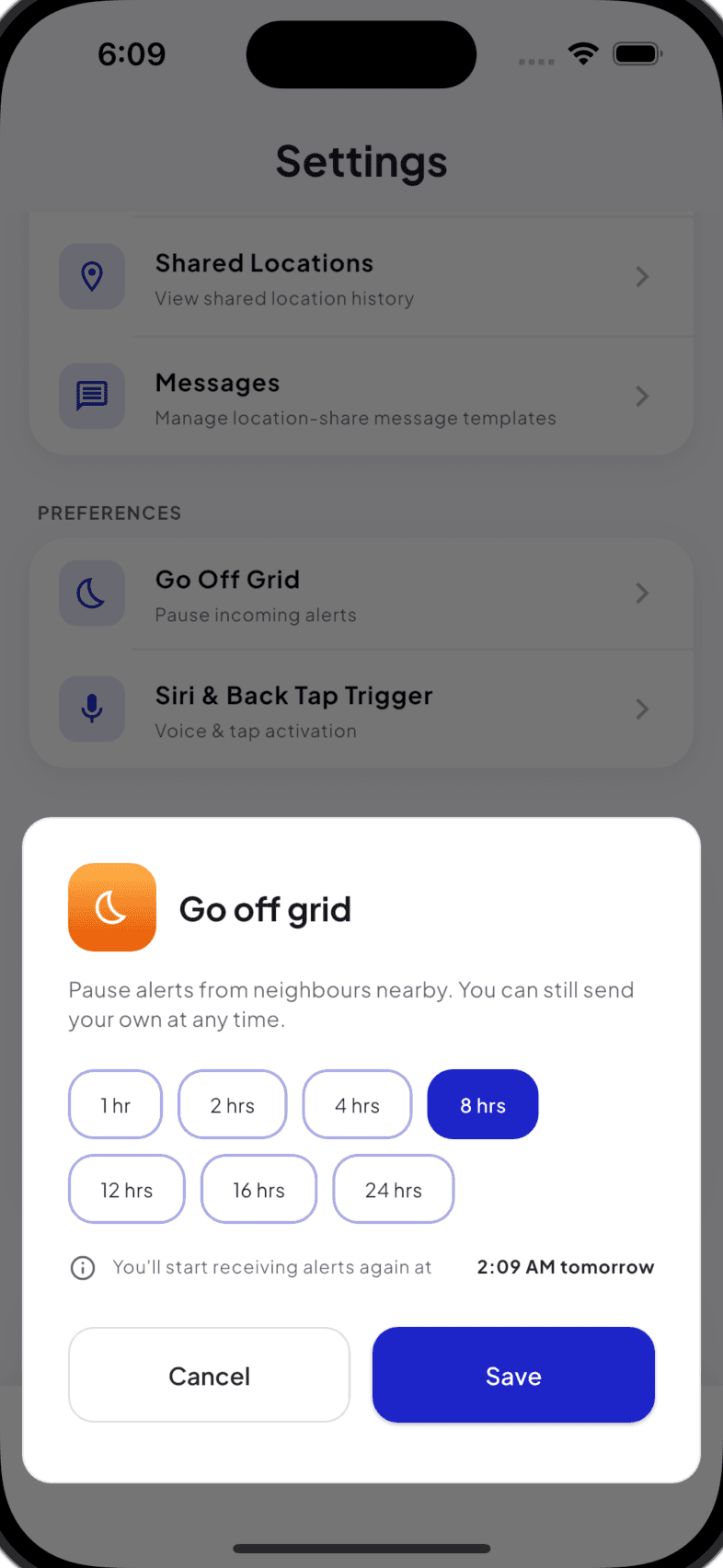
Pause incoming alerts for a set duration when you need a break. Your own emergency button always stays active.
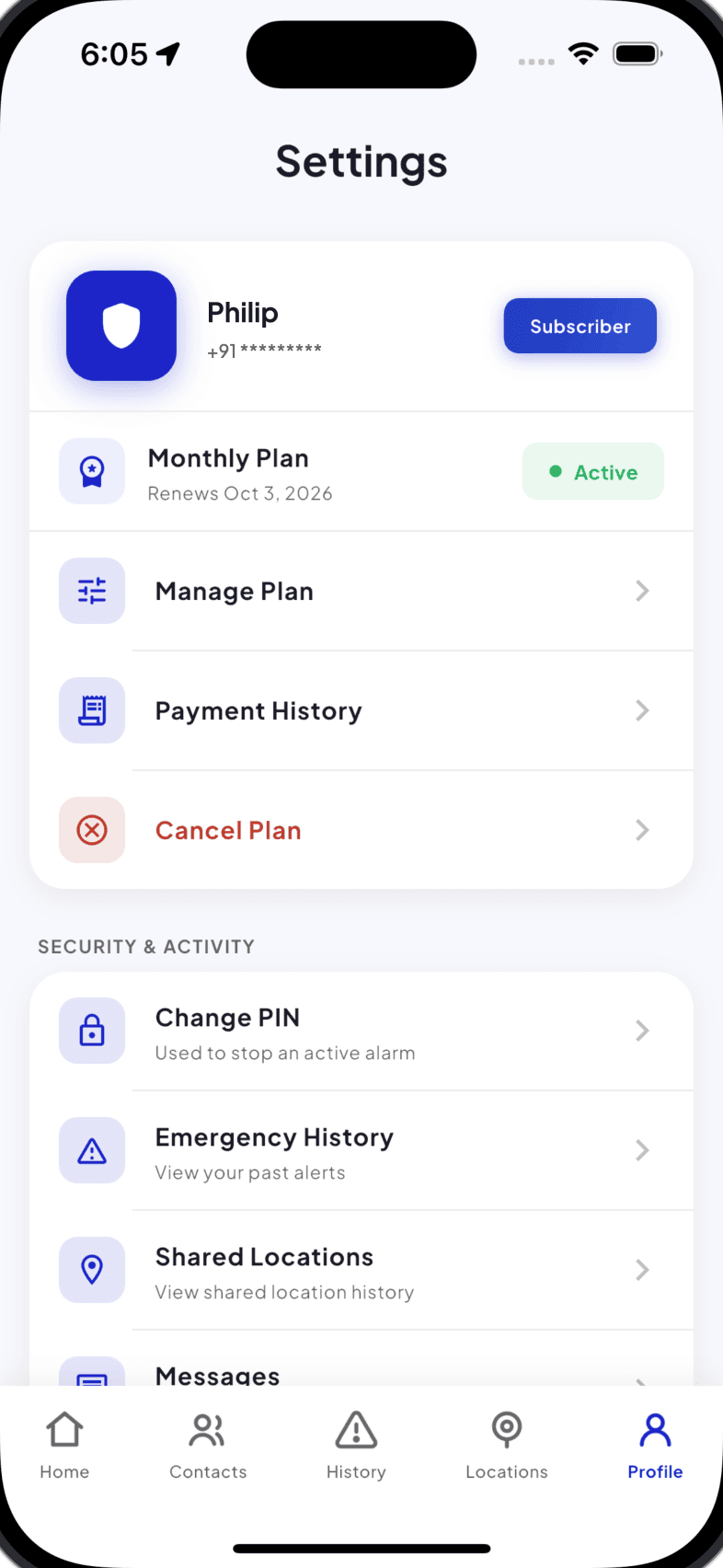
Manage your subscription, security PIN, and quick access to your alert and location history, all in one place.
A personal safety tool for urgent situations: VEZL sends a fast alert when help is needed, so trusted contacts and nearby people can respond, and so everyday moments come with more peace of mind.
Send an alert quickly when you need urgent support, without wasting time searching for the right contact or next step.
Designed to improve the speed and visibility of emergency alerts by helping connect users with nearby support when it matters most.
Send your location directly to trusted contacts, giving them clear, real-time information so they can respond quickly and appropriately.
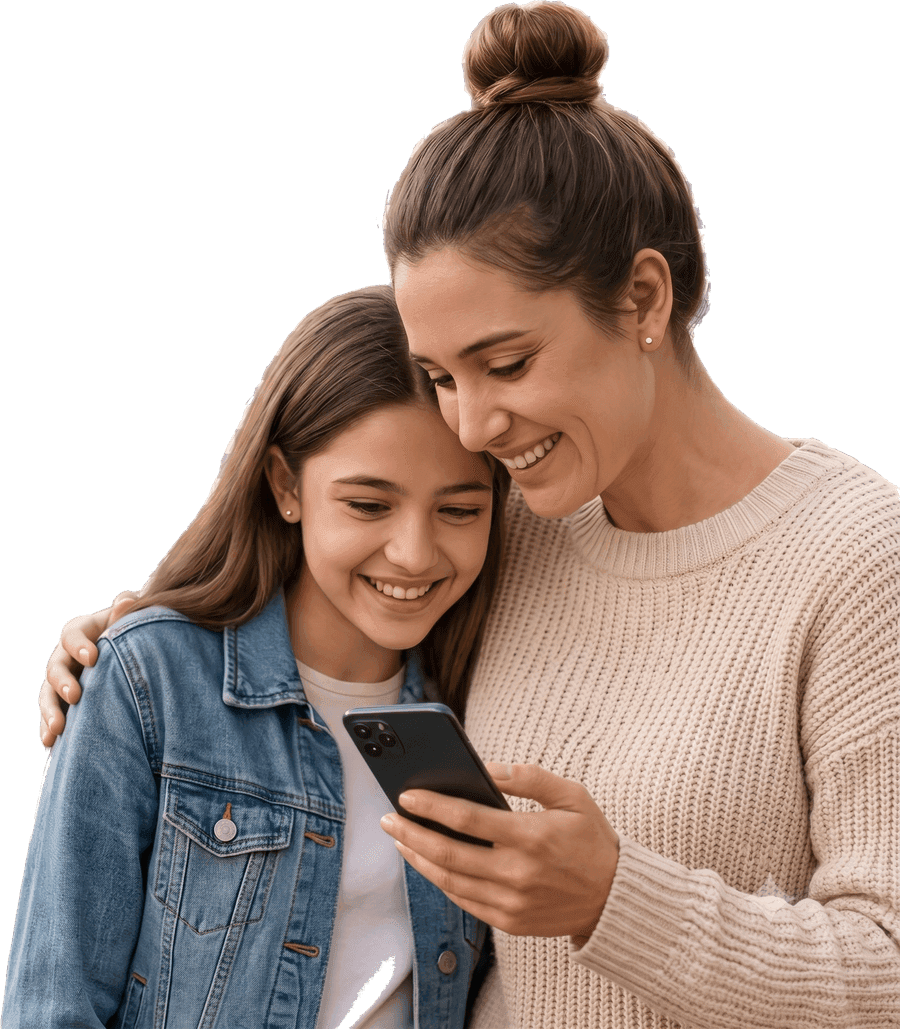
Peace of mind for the people you love most.
‘I’m here, I’m OK.’ Seeing that little message makes all the worry disappear.
Be the reason someone gets home safe.
Together, we make our communities safer for everyone.
Start free. Receiving alerts, organising your Trusted Friends and helping others never costs anything, and you can upgrade any time to send for help yourself.
Basic VEZL features
£0
Free forever
Full features for 30 days
£1.99
No auto-renewal
Full features
£1.99/month
Cancel anytime
Full features
£19.99/year
Save £3.89 a year
| Feature | Free | Subscribed |
|---|---|---|
| Download & set up VEZL | Included | Included |
| Create and manage Trusted Friends groups | Included | Included |
| Choose your 5 default Trusted Friends | Included | Included |
| Receive emergency alerts | Included | Included |
| Receive location shares from friends | Included | Included |
| Location Bookmark: save and share a place with yourself | Included | Included |
| SMS fallback, with or without internet | Included | Included |
| Floating quick-access button | Included | Included |
| Send emergency alerts | Not included | Included |
| Share your location with a Trusted Friends group | Not included | Included |
| Hardware emergency trigger | Not included | Included |
| Voice emergency trigger | Not included | Included |
| Alert up to 10 nearby Helpers | Not included | Included |
VEZL improves access to support. It is not an emergency service, and it cannot promise an outcome.
We typically respond within one business day. For urgent or life-threatening situations, please contact your local emergency services first.
Hi, tell us what’s on your mind. Questions, feedback and partnership enquiries all land in the same inbox, and a real person answers.