Delete your VEZL account
This is the official, secure way to permanently delete your VEZL account and the data attached to it. Do it yourself inside the app in about a minute, or email us if you have already uninstalled it. You do not need the app, or an account you can still sign in to, to make the request.
VEZL is published by Knight Apps Limited
Last updated 14 September 2026
Once your VEZL account is deleted it cannot be reversed, and your data cannot be recovered. There is no cooling-off period and no way for us to restore an account afterwards. Starting again means creating a new one.
01Delete your account in the app
This is the quickest route, and the one to use if you still have VEZL installed. It takes about a minute, and it is permanent.
Step 1. Open VEZL and tap Profile in the bottom bar, then open Settings.
Step 2. Scroll down to the Account section and tap Delete Account.
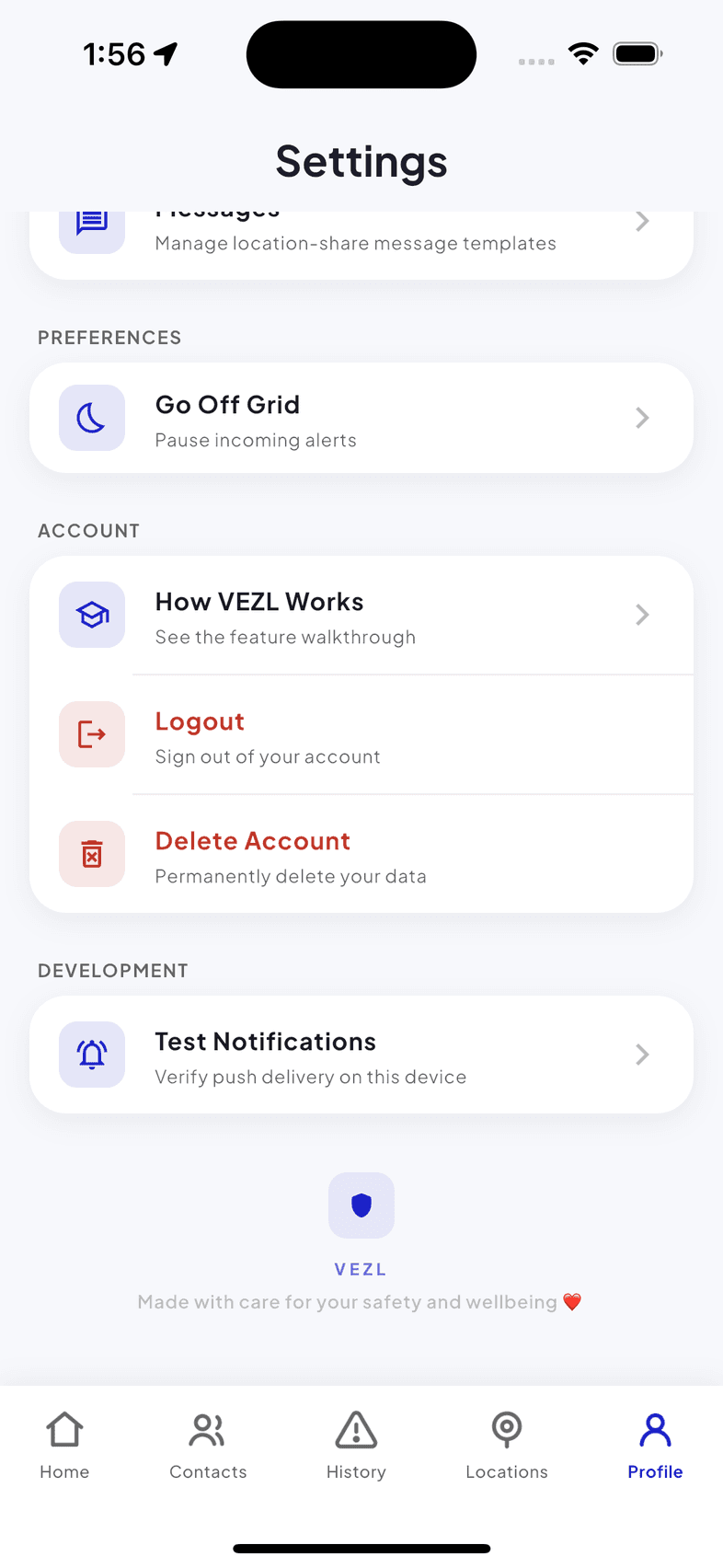
Settings → Account → Delete Account Step 3. A confirmation appears warning that this cannot be undone. Enter your 4-digit PIN, the same one you use to stop an active emergency alarm, to confirm it is you. Then tap Delete Account.
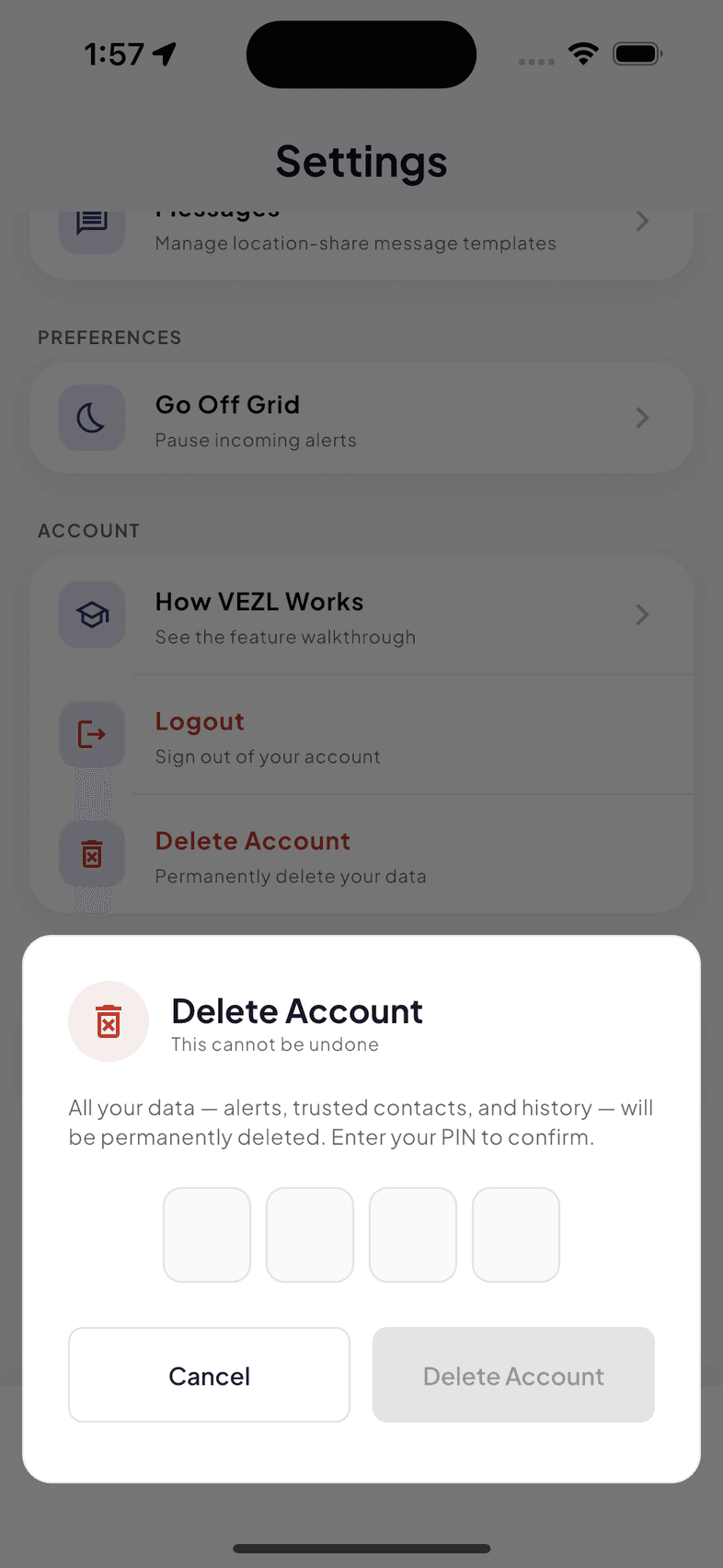
Your PIN confirms it is you before anything is deleted Step 4. Your account goes into the deletion process and you will see Deleting your account…. Leave the app open until it finishes.
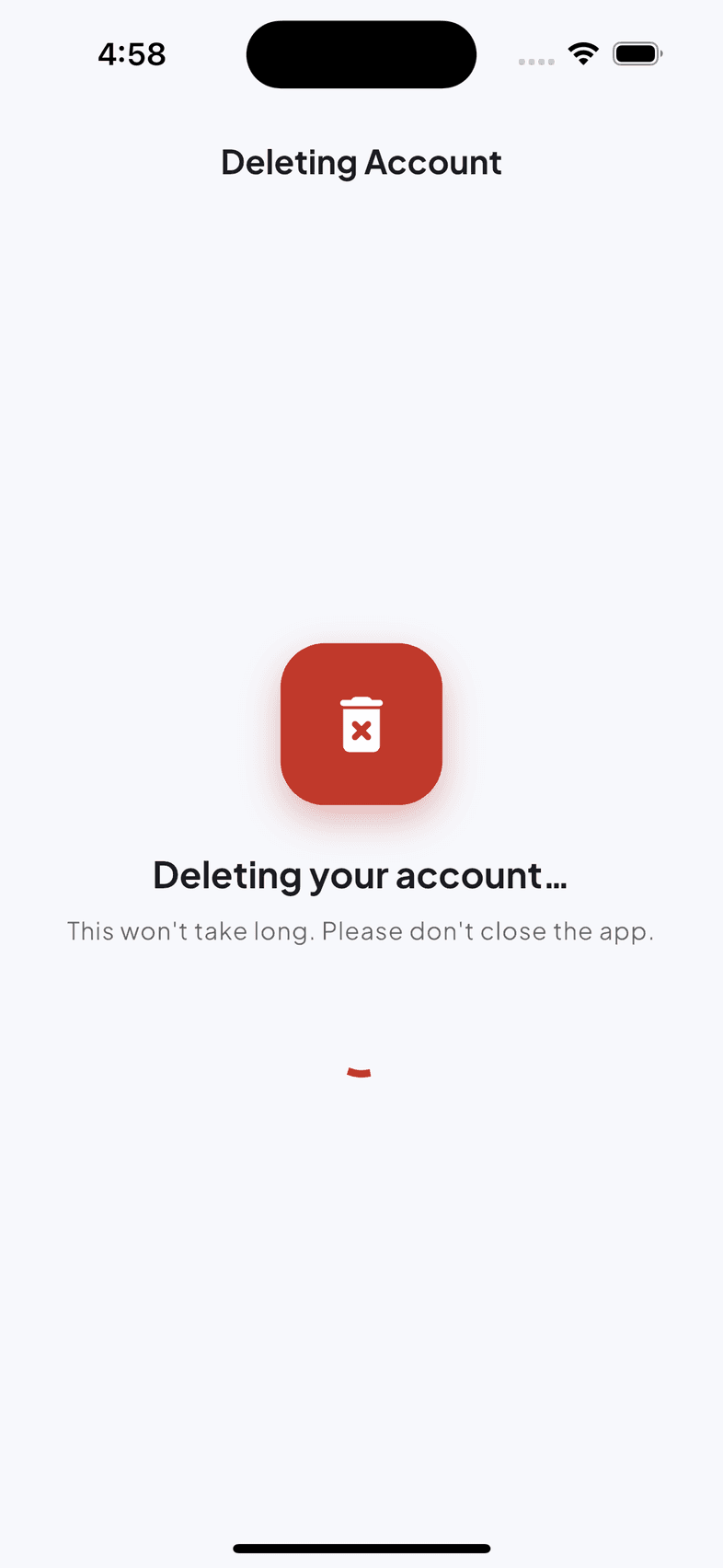
Do not close the app on this screen Step 5. You are signed out automatically. Your account and the data attached to it are now permanently deleted.
If you pay for VEZL, cancel the subscription in the App Store or Google Play as well. Deleting your account does not cancel a store subscription, because Apple and Google hold that billing relationship, not VEZL.
02Request deletion without the app
You do not need to reinstall VEZL, or be able to sign in, to close your account. Email privacy@helphelphelp.app with the subject line Account Deletion Request and tell us the phone number or email address your VEZL account is registered with, so we can find it.
Send it from the email address on the account if you can, because that is the fastest way for us to confirm the request is really yours. If you cannot, say so in your message and we will verify you another way. That check exists so that nobody else can close your account for you.
We will acknowledge your request within 2 working days, complete the deletion within 30 days, and email you to confirm once it is done.
03What gets deleted
Deleting your account erases the account itself and the data VEZL holds under it, by either route above:
Deleted permanently
- Your profile: your name, phone number, email address and PIN.
- Your trusted circles and the contacts in them, and your membership of anyone else's.
- Your emergency alert history, including any location attached to it.
- Your shared location history and your saved location bookmarks.
- Your check-ins, reminders, message templates and app settings.
- Support messages you sent us, once any open request is closed.
- Your subscription record, apart from the billing entries we are required to keep (listed in the next section).
Everything in that list goes for good. The narrow set of records that survives deletion is set out next.
04What may be kept, why, and for how long
A few narrow categories survive deletion, because the law requires them or because they can no longer identify you. Nothing here is used to re-create your account or to contact you.
Kept, and for how long
- Billing and tax records. Invoices and payment records are kept for as long as tax and company law requires, typically six years from the end of the financial year. They hold the transaction itself. No alerts, contacts or location are stored with them.
- Records needed to prevent fraud or misuse. Where an account was closed over false alerts, abuse or fraud, a minimal record is kept so the same account cannot simply be recreated.
- Encrypted backups. Deleted data can persist in encrypted backups for up to 30 days before those backups roll over. It is never restored to the live service.
- Anonymised statistics. Aggregate counts that can no longer be linked back to you, such as how many alerts were raised in a month, are kept indefinitely.
These periods are the ones declared on Google Play’s Data safety form and in the Privacy Policy. If the three ever disagree, the Privacy Policy is the one to trust and this page is the one to correct.
05How long it takes
- Immediately. Your account is deactivated. You are signed out, you stop receiving and raising alerts, and you disappear from other people’s trusted circles.
- Within 30 days. Your data is erased from the live service. A request made by email is completed inside the same window.
- Within 60 days. The encrypted backups holding the last copy of it have rolled over.
There is no cooling-off period once deletion completes. An account cannot be restored afterwards, and starting again means creating a new one.
06What the people in your circles see
When your account closes you are removed from every trusted circle you belonged to, and the people in them stop being able to see you or receive your alerts. Alerts you previously responded to may remain in the other person’s own history with your name removed.
07Deleting some data without closing your account
You do not have to close your account to reduce what VEZL holds. In the app you can clear your alert history, leave a trusted circle, stop sharing your location, delete a saved location, and withdraw location or notification permission in your device settings.
For anything you cannot do in the app, or to request a copy of your data before deleting it, write to privacy@helphelphelp.app. Your other rights over your information are listed in the Privacy Policy.
08Questions before you delete
VEZL is published by Knight Apps Limited. If anything above is unclear, or you would rather someone walked you through it, email privacy@helphelphelp.app or use the contact form before you delete anything. We would rather answer a question than undo something we cannot.
The full terms are in the Terms & Conditions, and what VEZL collects while your account is open is set out in the Privacy Policy.
Also on this site